
XLSX · E-commerce Profit Tracker
E-commerce Profit Tracker in Excel – Contribution Margin per Channel and Product
Revenue is not profit. The E-commerce Profit Tracker deducts product cost, marketplace and payment fees, shipping and returns from every order and allocates ad spend per channel – so you see which channel and which product really makes money.
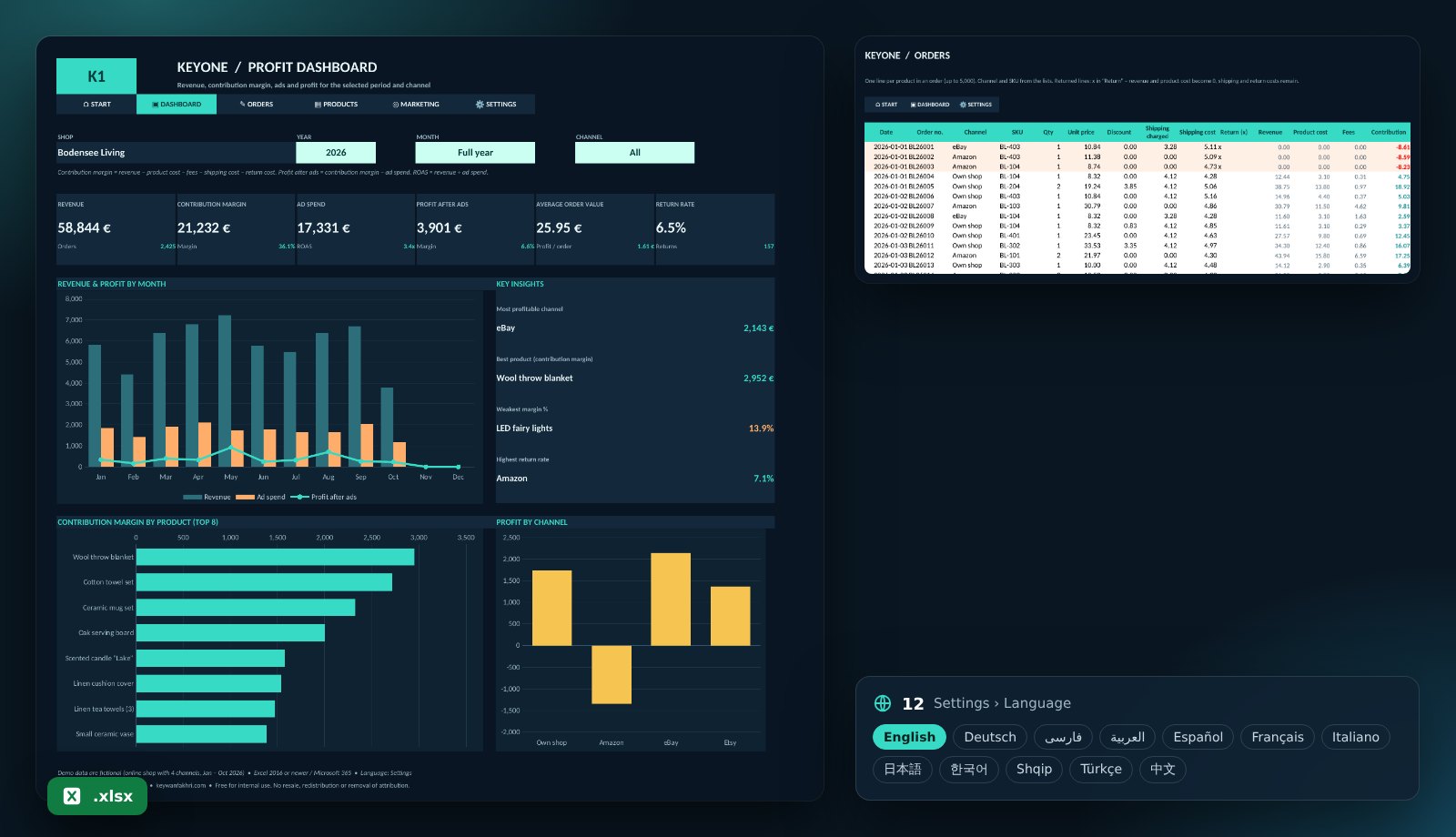
What the template includes
Profit per order
Revenue, product cost, fees and contribution margin are calculated in every line automatically.
Channels with their own fees
Own shop, Amazon, eBay, Etsy … with fee %, fixed fee and payment fee – up to 8 channels.
Ads & ROAS
Monthly ad spend per channel, ROAS and profit after ads.
Returns handled correctly
Mark returns with x: revenue drops out, shipping and return costs remain.
Top products & weakest margin
Contribution margin of the 8 best products and the product with the lowest margin.
12 languages, protected, offline
Up to 5,000 order lines and 300 products. Filter by year, month and channel. No macros.
Who is it for?
For online retailers, Shopify and WooCommerce shops, Amazon, eBay and Etsy sellers who run several channels and want to know what is actually left after all costs.
Get started in four steps
- Download the file and open it in Excel.
- Enter channels with their fees and the cost per return under “Settings”.
- Add products with unit cost, paste your order export and enter monthly ad spend.
- Pick year, month and channel on the dashboard – and see where the money is made.
KPIs in the template
| Contribution margin | Revenue − product cost − fees − shipping cost − return costWhat an order really earns. |
|---|---|
| ROAS | Revenue ÷ ad spendHow much revenue each euro of advertising brings. |
| Profit after ads | Contribution margin − ad spendWhether a channel is profitable after all. |
| Return rate | Returns ÷ order linesWhere returns eat into profit. |
Frequently asked questions
Is the template free?
Yes, free for your own business. Resale and removing the attribution are not permitted.
Can I paste my shop export?
Yes. Copy date, order number, channel, SKU, quantity, price and shipping from Shopify, WooCommerce or Amazon into “Orders”.
Are prices net or gross?
Net. Remove VAT first so contribution margin and margin % are correct.
Can I get a customised version?
Yes. I build versions with inventory, bundles, fulfilment costs (FBA) or a direct import of your shop export.