
XLSX · Shift & Leave Planner
Shift Planner and Leave Tracker in Excel – Roster, Hours and Absences
The Shift & Leave Planner puts the shift rota, vacation and sick leave in one file. Enter shifts once – the weekly roster builds itself, days below minimum staffing turn orange and the dashboard shows hours, overtime, labour cost and remaining leave.
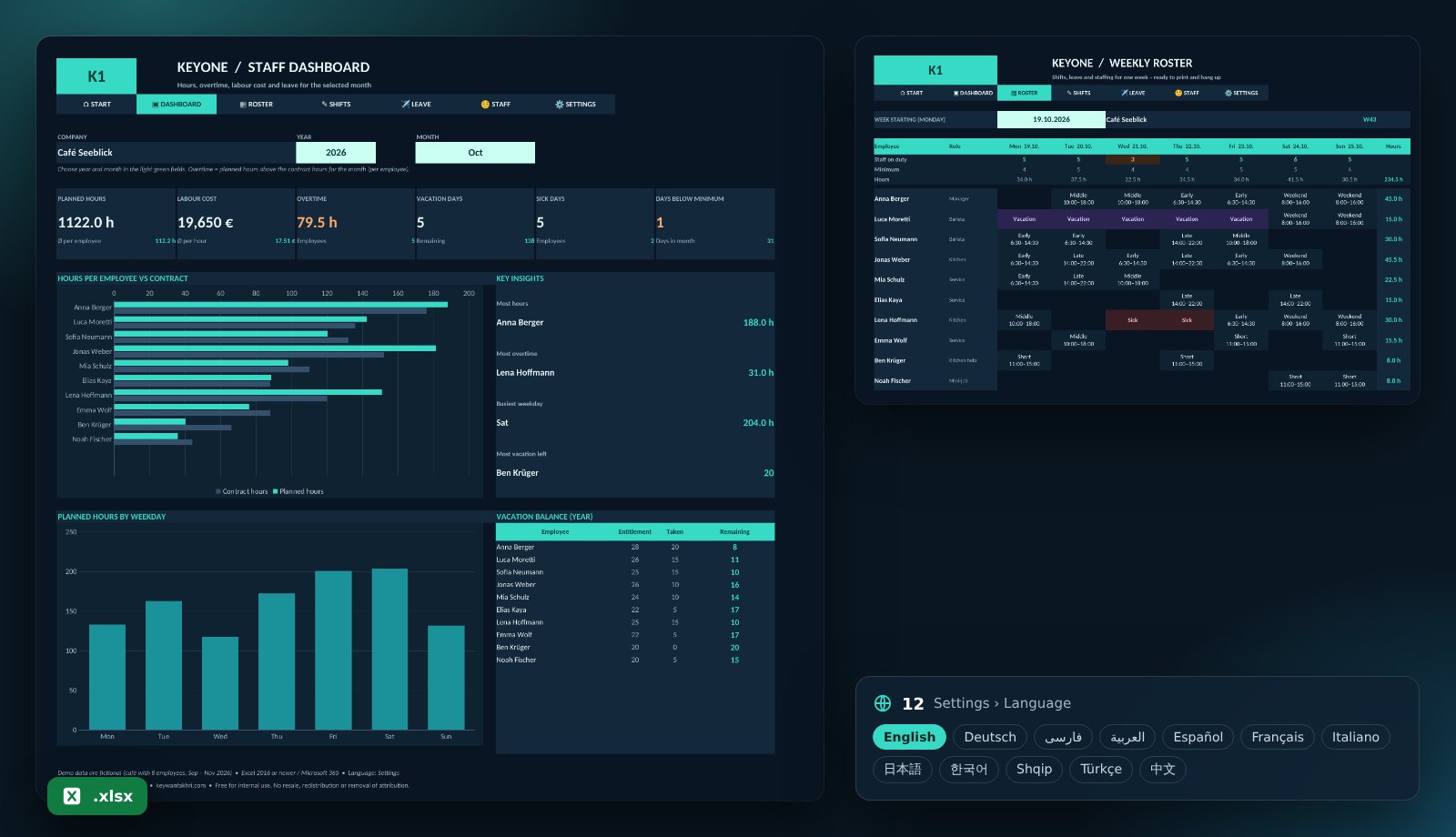
What the template includes
Printable weekly roster
Employees × weekdays with shift type and times, vacation and sickness in colour – print-ready on one page.
Minimum staffing per weekday
Planned staff against the minimum for every day – gaps are highlighted in orange.
Hours & overtime
Planned hours per employee against the contract hours of the month, minus vacation and sick days.
Labour cost
Hours × hourly wage per employee and month, plus the team’s average hourly rate.
Vacation balance
Entitlement, taken and remaining vacation days per employee for the year.
12 languages, protected, offline
Up to 25 employees, 8 shift types and 5,000 shifts. Protected formulas, no macros.
Who is it for?
For cafés, restaurants, hotels, retail, care services, clinics and warehouses – anywhere small teams work in shifts and the rota is still made on paper or in a messy spreadsheet.
Get started in four steps
- Download the file and open it in Excel.
- Enter names, weekly hours, hourly wage and leave entitlement under “Staff”.
- Define shift types and minimum staffing under “Settings”, then add shifts and absences.
- Pick a week in the roster, print it – and check hours and cost on the dashboard.
KPIs in the template
| Planned hours | End − start − break (per shift)Night shifts across midnight are calculated correctly. |
|---|---|
| Contract hours per month | Weekly hours ÷ 5 × (working days − absence days)The target for each employee in the selected month. |
| Overtime | MAX(0, planned hours − contract hours)Who works more than agreed in the month. |
| Remaining leave | Annual entitlement − vacation days taken (Mon–Fri)How many vacation days are still open. |
Frequently asked questions
Is the template free?
Yes, free for your own business. Resale and removing the attribution are not permitted.
Are night shifts calculated correctly?
Yes. If a shift ends after midnight, the file calculates the hours correctly across the date change.
Does it replace time tracking?
No. It plans shifts and absences. Payroll should use the hours actually recorded.
Can I get a customised version?
Yes. I build versions with several locations, premiums (night, Sunday, public holiday) or your own shift logic.