
XLSX · Project Gantt Manager
Project Plan with Gantt Chart in Excel – Progress, Delays and Budget
The Project Gantt Manager turns a task list into a project status. Enter tasks with start, end, owner, progress and budget – the Gantt chart draws itself, late tasks turn orange and the dashboard shows whether the project is on time and on budget.
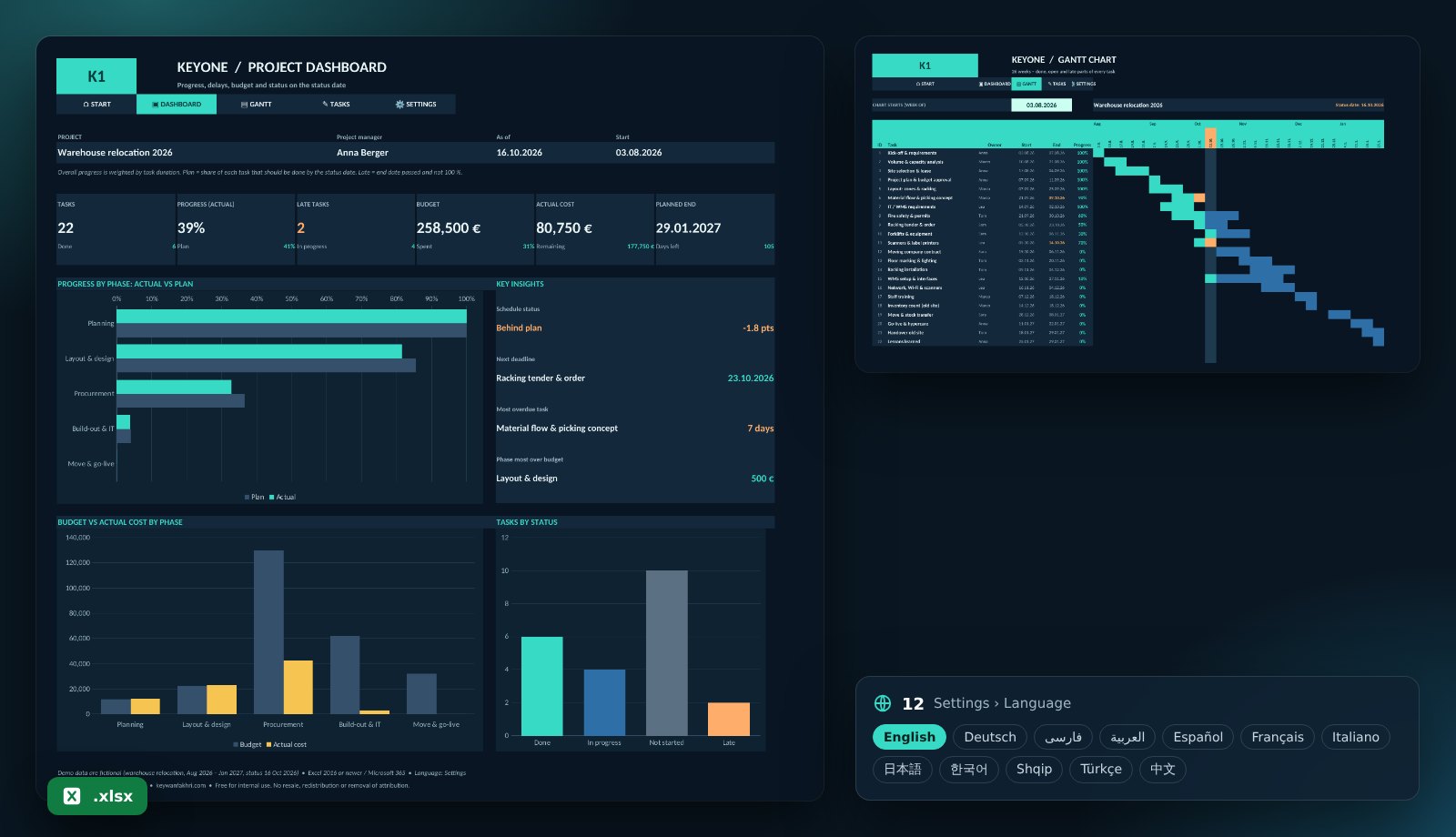
What the template includes
Automatic Gantt chart
26 weeks showing the done, open and late part of every task, with the current week highlighted.
Actual vs planned progress
Duration-weighted progress against the planned progress on the status date – overall and per phase.
Delays detected automatically
Tasks past their end date and below 100 % are flagged as late, including days overdue.
Budget vs actual cost
Budget and actual cost per phase, % spent and the phase most over budget.
Status dashboard
Done, in progress, not started, late – plus the next deadline and the planned project end.
12 languages, protected, offline
Up to 200 tasks and 8 phases, dependencies via predecessor ID. Protected formulas, no macros.
Who is it for?
For project managers, team leads, freelancers and small companies running projects such as relocations, roll-outs, construction or client projects – without MS Project or expensive tools.
Get started in four steps
- Download the file and open it in Excel.
- Enter project name, status date and phases under “Settings”.
- Add every task with start, end, owner, budget and progress under “Tasks”.
- Check the Gantt chart and dashboard – and take the PDF to your next status meeting.
KPIs in the template
| Overall progress | Σ(duration × progress) ÷ Σ durationLong tasks count more than short ones. |
|---|---|
| Planned progress | (status date − start + 1) ÷ duration, capped 0–100 %How much should be done by today. |
| Late task | End < status date AND progress < 100 %Which tasks need attention now. |
| Budget spent | Actual cost ÷ budgetWhether costs match progress. |
Frequently asked questions
Is the template free?
Yes, free for your own business. Resale and removing the attribution are not permitted.
Can I model dependencies?
Yes, with the “After ID” column. If a task starts before its predecessor ends, the start date is highlighted in yellow.
Does it replace MS Project?
For small and medium projects usually yes. It does not do resource levelling or automatic rescheduling.
Can I get a customised version?
Yes. I build versions with resource load, milestones, multiple projects or your reporting format.